
Local AI · On-premise · Data stays in-house
Local AI for businesses: artificial intelligence that runs on your own computers
We install a private AI assistant on a server or a Mac in your company. It works like ChatGPT, handles your documents and your data never leaves. We take care of installation, training and maintenance.
What is local AI? It is an artificial intelligence model (an LLM, large language model) installed on the company's own hardware instead of in an external provider's cloud. It answers questions, summarises documents, writes drafts and reads PDFs just like ChatGPT, but every request is processed in-house: no text, file or data is sent to third parties.
Dabryx installs local AI on company servers or on Macs, trains your staff and takes care of maintenance. Consultancy starts at €100 per hour.
Why choose a local AI
The advantages over cloud AI services, for anyone working with data that matters.
Data never leaves the company
Contracts, customer data, projects and know-how stay on your computers. No external provider receives, stores or uses them.
Easier GDPR management
With no transfers to non-EU cloud services, you have fewer suppliers to appoint and fewer risks to assess.
Predictable costs
No per-user subscriptions or usage-based fees: the hardware remains your property and all authorised employees can use it.
Works on your documents
Connected to manuals, procedures, price lists and archives, it answers with your company's own information.
Works even without the internet
Processing happens on site: the assistant stays available even when the connection is slow or down.
No vendor lock-in
We use open models (such as Qwen, Llama, Mistral and Gemma) that you can update or replace when better versions come out.
What local AI can do for your company
Some concrete examples of use:
- Internal assistant for employees: a ChatGPT-style chat with personal accounts, accessible from computers and smartphones over a private connection.
- Questions about company documents: "what is the returns procedure?", "what does the contract with supplier X say?". The AI searches the documents and answers, citing its sources.
- Reading PDFs and documents: extracting data from invoices, delivery notes, quotes and contracts, and summarising long documents.
- Writing: draft emails, sales proposals, product sheets, minutes and internal communications.
- Automations: sorting incoming emails, generating reports, passing data between programs, with automated workflows built on n8n.
- Developer support: a coding assistant that never sends source code outside the company.
- Images: image generation for social media and catalogues, always locally.
On-premise AI, private AI, AI servers: what's the difference
These expressions almost always mean the same thing, with slightly different nuances:
- Local AI: the model runs on a company computer (a Mac, a server, sometimes a workstation) rather than on a provider's servers.
- On-premise AI: the technical term for the same concept. The hardware sits on the company's premises, or in a data centre chosen and controlled by the company.
- Private AI: puts the emphasis on the outcome. No company text, file or data is sent to an external AI service or used to train third-party models.
- Local AI server: the machine everything runs on. It can be a Mac with Apple Silicon and plenty of unified memory, or a server with one or more GPUs.
In every case the core is the same: an open model downloaded and installed in the company, a chat interface with personal accounts and, if needed, the connection to company documents. What changes is the sizing, which we choose based on users, tasks and budget.
Server or Mac: what hardware you need
There's no one-size-fits-all configuration: we choose it based on how many people will use the AI, for which tasks and how fast the answers need to be.
| Solution | When it makes sense | Features |
|---|---|---|
| Mac with Apple Silicon | Offices and small to medium teams | Quiet, low power consumption, plenty of shared memory: it runs large models without a server room. |
| GPU server | Many simultaneous users, heavy workloads | Maximum performance, can be installed in the company rack or in a trusted data centre. |
| Existing server | Targeted tasks (classifying, extracting data) | Smaller, specialised models, with no new purchases. |
A concrete example: the Mac Studio with 128 GB of memory we use at Dabryx runs models with 35 and 122 billion parameters, with chat, document reading, image generation and automations, securely accessible from the team's smartphones too.
How we install local AI
-
Analysis
We work out which tasks you want to speed up, which data is involved and how many people will use the AI.
-
Choosing hardware and models
We propose the right configuration, without oversizing, and the best models for Italian and for your tasks.
-
Installation and security
We configure the models, the interface with personal accounts, remote access over a private network (no service exposed to the internet) and backups.
-
Connection to documents and processes
We connect the AI to your company archives and set up the first automations.
-
Staff training
We teach your team to use AI effectively and responsibly, which also covers the literacy obligations set out in the AI Act.
-
Maintenance
We update software and models, monitor operation and step in if problems arise.
The stack we use
We work with mature, widely used open-source tools, so your company isn't tied to a proprietary product:
- Ollama to run the models locally.
- Open WebUI as a multi-user chat interface, with accounts, history and document upload.
- n8n for automations that connect the AI to email, management systems and shared folders.
- Open models (Qwen, Llama, Mistral, Gemma) chosen for quality in Italian, speed and task.
- Private network (VPN) to use the AI remotely without opening ports to the internet.
Local AI or cloud AI? The comparison
| Local AI | Cloud AI (e.g. ChatGPT, Gemini) | |
|---|---|---|
| Where the data ends up | They stay in the company | Sent to the provider's servers |
| Costs | Hardware you own and consultancy: no per-user costs | Per-user subscription or pay-per-use |
| Quality | Excellent for most everyday tasks | The largest models are still better at the most complex tasks |
| Internet connection | Not required | Essential |
| Customisation | Complete: models, rules and integrations | Limited to what the provider offers |
The two approaches aren't mutually exclusive: many companies use local AI for confidential data and the cloud for tasks that don't involve sensitive information. We help you decide case by case.
How much it costs to install a local AI
Dabryx consultancy for local AI starts at €100 per hour (VAT not applicable – Italian flat-rate tax scheme) and covers analysis, installation, configuration, training and maintenance.
Hardware is a separate cost: the company buys it directly and owns it. It depends on the number of users, the models and the speed required; we estimate it together in the first consultation, starting where possible from what you already have.
Maintenance can be billed by the hour or included in a support contract, with dedicated tickets and responses within 2 hours on working days.
Local AI, GDPR and the AI Act
Processing data in-house reduces transfers to third parties and to non-EU countries, and simplifies risk assessment. It doesn't, however, automatically make every use compliant: purposes, employee privacy notices and usage rules still need to be defined, and we set these up together during the project.
Article 4 of the AI Act, applicable since 2 February 2025, requires companies that use artificial intelligence systems to take measures to support the AI literacy of their staff. With Regulation (EU) 2026/1744 (Digital Omnibus), in force since 27 July 2026, it has become an obligation of means: you don't have to guarantee a specific level, but you must take effective, proportionate measures. The training included in our projects goes in this direction.
Want to try building your own local AI?
We believe a company should understand what it's buying. That's why we publish practical guides, with real commands and configurations, for anyone who wants to try it out on their own first:
- How to set up a local AI in your company: step-by-step guide (2026): Ollama, Open WebUI and an open model: the real steps to a private ChatGPT for your business, with commands, requirements and mistakes to avoid.
- Which AI model to run locally for Italian (September 2026): Gemma 4, Qwen3.8, gpt-oss, Mistral and the Italian models: sizes, memory required and licences to help you choose the right open model for your business.
- How to connect a local AI to your company documents (RAG): Getting local AI to answer from manuals, procedures and contracts: how RAG works, how to set it up in Open WebUI and the mistakes that lead to wrong answers.
- On-premise or cloud AI: 7 questions to ask before choosing: Confidential data, number of users, costs, quality, in-house skills: the concrete questions for deciding whether your company needs an on-premise AI, a cloud one or both.
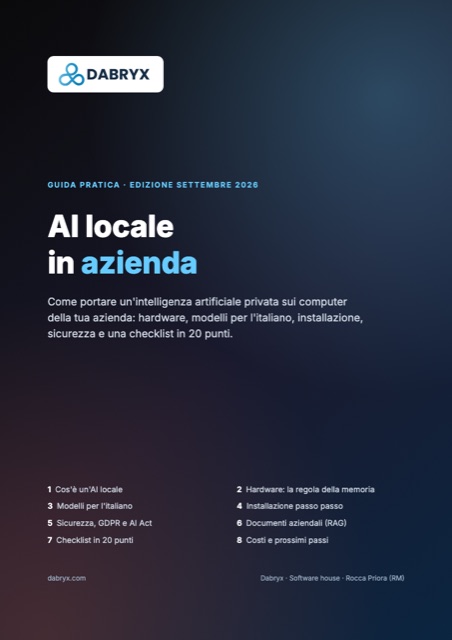
Prefer everything in a single document? Download the free PDF guide, with the 20-point checklist.
When the trial works and you need to take it into production (more users, secure remote access, backups, connection to your management systems, training), we can do it for you.
Frequently asked questions
How much does it cost to install a local AI in a company?
Dabryx consultancy starts at €100 per hour and covers analysis, installation, training and maintenance. The hardware (a Mac with Apple Silicon or a GPU server) is purchased separately, remains the company's property and is sized to the number of users and tasks.
What is on-premise AI?
It's artificial intelligence installed on the company's own hardware (on its premises or in a data centre it controls) rather than used as a cloud service. The model, the documents and the conversations stay under the company's control.
What server do you need for a local AI?
It depends on how much memory the model needs and how many people will use it at the same time. For an office, a Mac with Apple Silicon and plenty of unified memory is often enough; for many simultaneous users a GPU server is the better choice. For targeted tasks, the hardware you already have may be enough.
Can I try a local AI before buying the hardware?
Yes, and it's what we recommend. You can run a trial on an existing computer with a small model, or a guided trial with us on your real documents, to understand which configuration you really need before buying.
What is the difference between local AI and ChatGPT?
ChatGPT processes requests on OpenAI's servers: text and files are sent outside the company. Local AI uses open models installed on the company's computers, with a similar interface: data stays on site, there are no per-user subscriptions and it works even without the internet.
Is a local AI secure and GDPR-compliant?
Processing data in-house removes the need to send it to external AI providers and reduces risk. Compliance still depends on how it's used: together we define access, usage rules and privacy notices, and the AI is never exposed to the internet but reached only over a private network.
Do you need a GPU server or is a Mac enough?
For offices and small to medium teams, a Mac with Apple Silicon and plenty of memory is often the best choice: quiet, low-power and able to run large models. For many simultaneous users or heavy workloads, a GPU server is the better choice.
Does local AI work well in Italian?
Yes. The latest open models handle Italian well; we choose and test the ones best suited to the company's tasks before putting them into production.
Can the AI be connected to company documents?
Yes. The AI can consult manuals, procedures, contracts and other documents and answer citing its sources. We define which archives to connect and who can access which information.
Who takes care of updates and maintenance?
Dabryx. We update software and models, check that everything works and step in if problems arise, billed by the hour or with a support contract with responses within 2 hours on working days.
Do you install local AI throughout Italy?
Yes. We work remotely throughout Italy and, when needed, on site: the initial setup and training can also be done in person.
Want to bring AI into your company?
Tell us what you'd like to automate: together we'll assess hardware, models and costs.
Response times
Within 2 hours on business days (9:00–18:00) for clients with a support contract.
AI consulting
From €100 per hour, on your company's servers or Macs.
Where we work
All over Italy, remotely and on site.